> ## Documentation Index
> Fetch the complete documentation index at: https://docs.botbrains.io/llms.txt
> Use this file to discover all available pages before exploring further.
# Audiences
> Segment and target specific user groups for personalized AI experiences
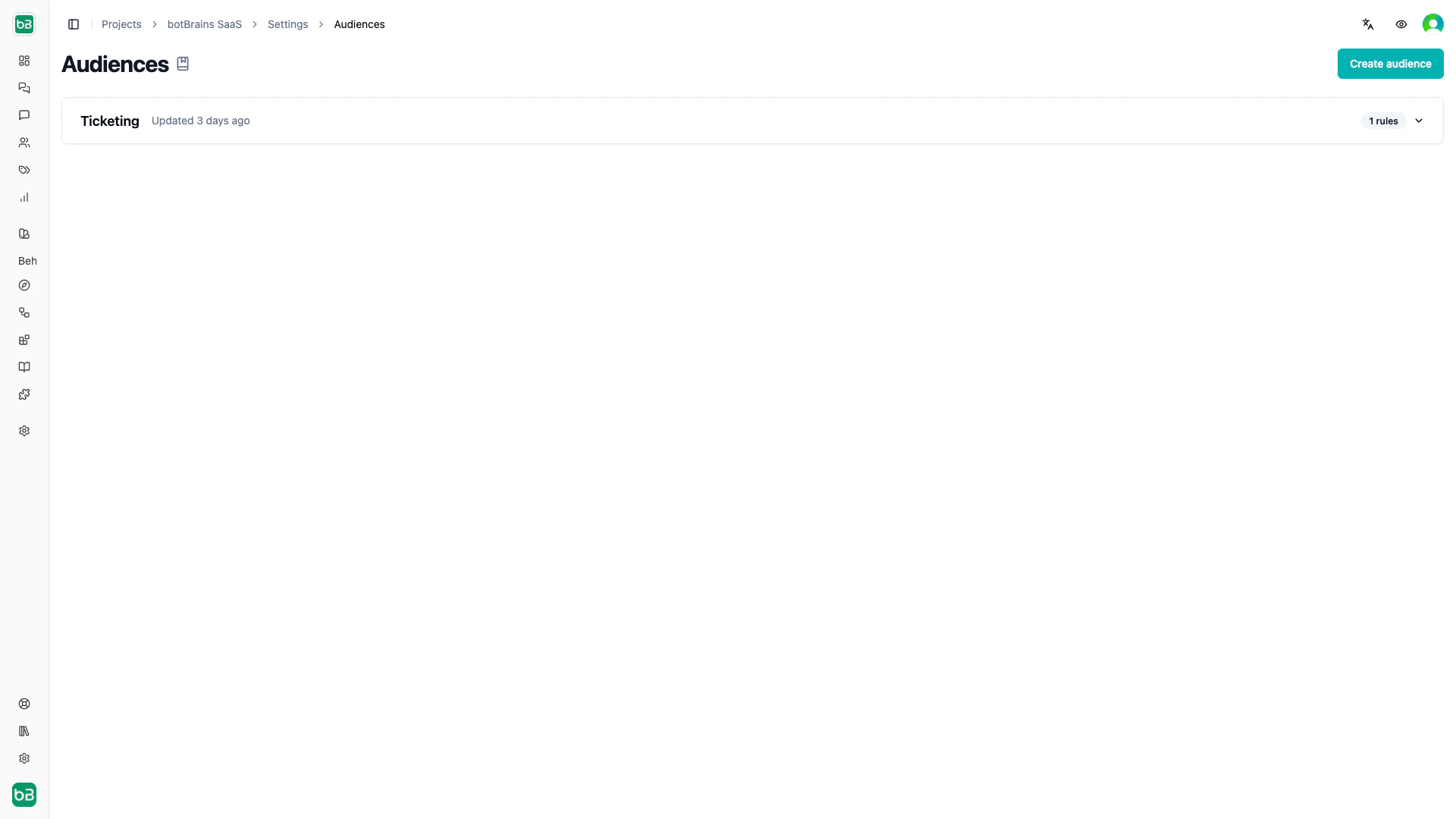
Audiences let you segment users so you can deliver different [guidance](/concepts/guidance), [knowledge](/concepts/knowledge), and tool access to different groups. You define an audience once, then attach it to guidance rules or data providers. Conversations that don't match any audience filter receive guidance set to "Everyone."
## Creating Audiences
1. Navigate to **Settings → Audiences**
2. Click **Create audience**
3. Name it descriptively (for example, "Enterprise EU Customers")
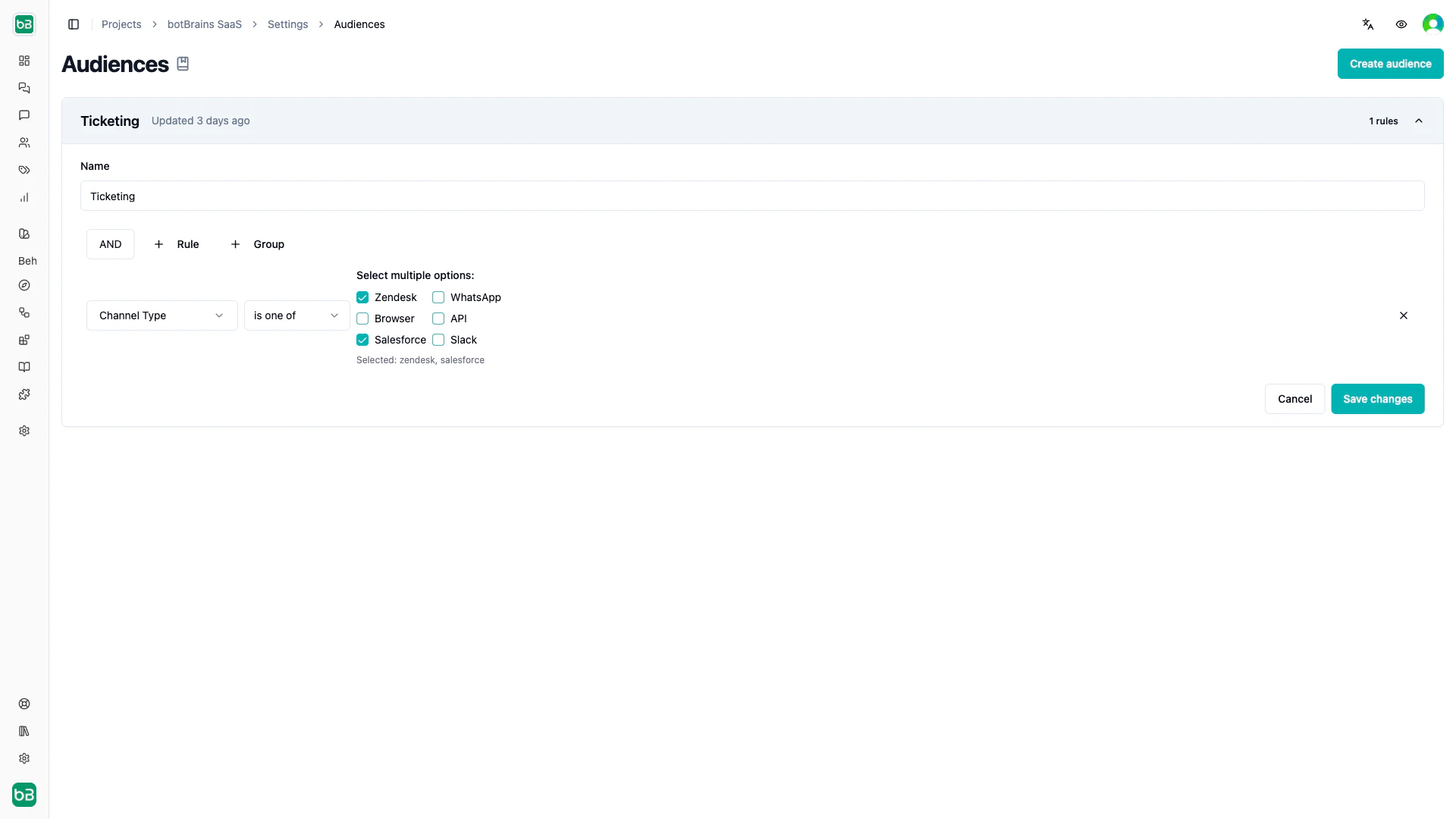
4. Build segmentation rules using the query builder
5. Save
Combine multiple conditions with AND/OR logic. The root-level group always uses AND logic.
 ## Available Fields
### User Attributes
| Field | Examples |
| ------------ | ---------------------------------------------- |
| Identity | User ID, email, phone, name, external ID |
| Platform IDs | Zendesk ID, Slack ID, WhatsApp ID |
| Metadata | Timezone, locales, external attributes (JSON) |
| Labels | User-assigned labels |
| Activity | Last seen date, account creation date |
| Verification | Email signed, phone signed, external ID signed |
### Channel Properties
| Field | Examples |
| ------------ | -------------------------------------------------- |
| Channel type | Browser, WhatsApp, Zendesk, Slack, API, Salesforce |
| Zendesk | Subdomain, group ID, brand ID, private mode status |
| Slack | Team ID, team name |
| WhatsApp | Phone number |
| Browser | URL, user agent |
### Conversation Context
| Field | Examples |
| ----------- | --------------------------------------------------- |
| Identifiers | Conversation ID, external ID |
| Metrics | Message count, conversation length |
| Timestamps | Created date, updated date, first/last message time |
| Metadata | Integration type, tags, labels |
### Time Conditions
| Field | Examples |
| ---------- | -------------------------------------------- |
| Date/Time | Current date, current datetime |
| Components | Hour, day of week, day of month, month, year |
| Timezone | Timezone string |
## Operators
| Type | Operators |
| ----------- | -------------------------------------------------------------------- |
| Text | is, isn't, contains, starts with, ends with, is empty, isn't empty |
| Number | is, isn't, less than, greater than, between, is empty |
| boolean | is true, is false |
| Date | is, before, after, between dates, in the last, in the next, is empty |
| Select | is one of, isn't one of |
| multiselect | contains, contains any of, contains none of, is empty |
| JSON | text is, number is, boolean is, contains, path exists |
## Examples
**VIP customers:**
```
User External Attributes -> JSON text is -> "tier" = "enterprise"
AND User Labels -> contains any of -> ["vip", "premium"]
```
**After-hours support:**
```
(Current Hour -> less than -> 9 OR Current Hour -> greater than -> 17)
AND User Timezone -> contains -> "America"
```
**New Zendesk users:**
```
Channel Type -> is one of -> ["zendesk"]
AND User Created At -> in the last -> 7 days
```
## Where to Use Audiences
**Guidance rules.** Attach an audience to a guidance rule to scope its instructions and tools to matching conversations. See [Instruct AI Agent](/guides/instruct-ai-agent#audience-targeting).
**Data providers.** Assign a default audience to a data provider so new sources automatically inherit the scope, making knowledge available only to matching users.
**Knowledge sources.** Scope individual sources to specific audiences so users only see relevant documentation.
## Available Fields
### User Attributes
| Field | Examples |
| ------------ | ---------------------------------------------- |
| Identity | User ID, email, phone, name, external ID |
| Platform IDs | Zendesk ID, Slack ID, WhatsApp ID |
| Metadata | Timezone, locales, external attributes (JSON) |
| Labels | User-assigned labels |
| Activity | Last seen date, account creation date |
| Verification | Email signed, phone signed, external ID signed |
### Channel Properties
| Field | Examples |
| ------------ | -------------------------------------------------- |
| Channel type | Browser, WhatsApp, Zendesk, Slack, API, Salesforce |
| Zendesk | Subdomain, group ID, brand ID, private mode status |
| Slack | Team ID, team name |
| WhatsApp | Phone number |
| Browser | URL, user agent |
### Conversation Context
| Field | Examples |
| ----------- | --------------------------------------------------- |
| Identifiers | Conversation ID, external ID |
| Metrics | Message count, conversation length |
| Timestamps | Created date, updated date, first/last message time |
| Metadata | Integration type, tags, labels |
### Time Conditions
| Field | Examples |
| ---------- | -------------------------------------------- |
| Date/Time | Current date, current datetime |
| Components | Hour, day of week, day of month, month, year |
| Timezone | Timezone string |
## Operators
| Type | Operators |
| ----------- | -------------------------------------------------------------------- |
| Text | is, isn't, contains, starts with, ends with, is empty, isn't empty |
| Number | is, isn't, less than, greater than, between, is empty |
| boolean | is true, is false |
| Date | is, before, after, between dates, in the last, in the next, is empty |
| Select | is one of, isn't one of |
| multiselect | contains, contains any of, contains none of, is empty |
| JSON | text is, number is, boolean is, contains, path exists |
## Examples
**VIP customers:**
```
User External Attributes -> JSON text is -> "tier" = "enterprise"
AND User Labels -> contains any of -> ["vip", "premium"]
```
**After-hours support:**
```
(Current Hour -> less than -> 9 OR Current Hour -> greater than -> 17)
AND User Timezone -> contains -> "America"
```
**New Zendesk users:**
```
Channel Type -> is one of -> ["zendesk"]
AND User Created At -> in the last -> 7 days
```
## Where to Use Audiences
**Guidance rules.** Attach an audience to a guidance rule to scope its instructions and tools to matching conversations. See [Instruct AI Agent](/guides/instruct-ai-agent#audience-targeting).
**Data providers.** Assign a default audience to a data provider so new sources automatically inherit the scope, making knowledge available only to matching users.
**Knowledge sources.** Scope individual sources to specific audiences so users only see relevant documentation.