> ## Documentation Index
> Fetch the complete documentation index at: https://docs.botbrains.io/llms.txt
> Use this file to discover all available pages before exploring further.
# Guidance
> Control AI behavior with profiles and guidance settings
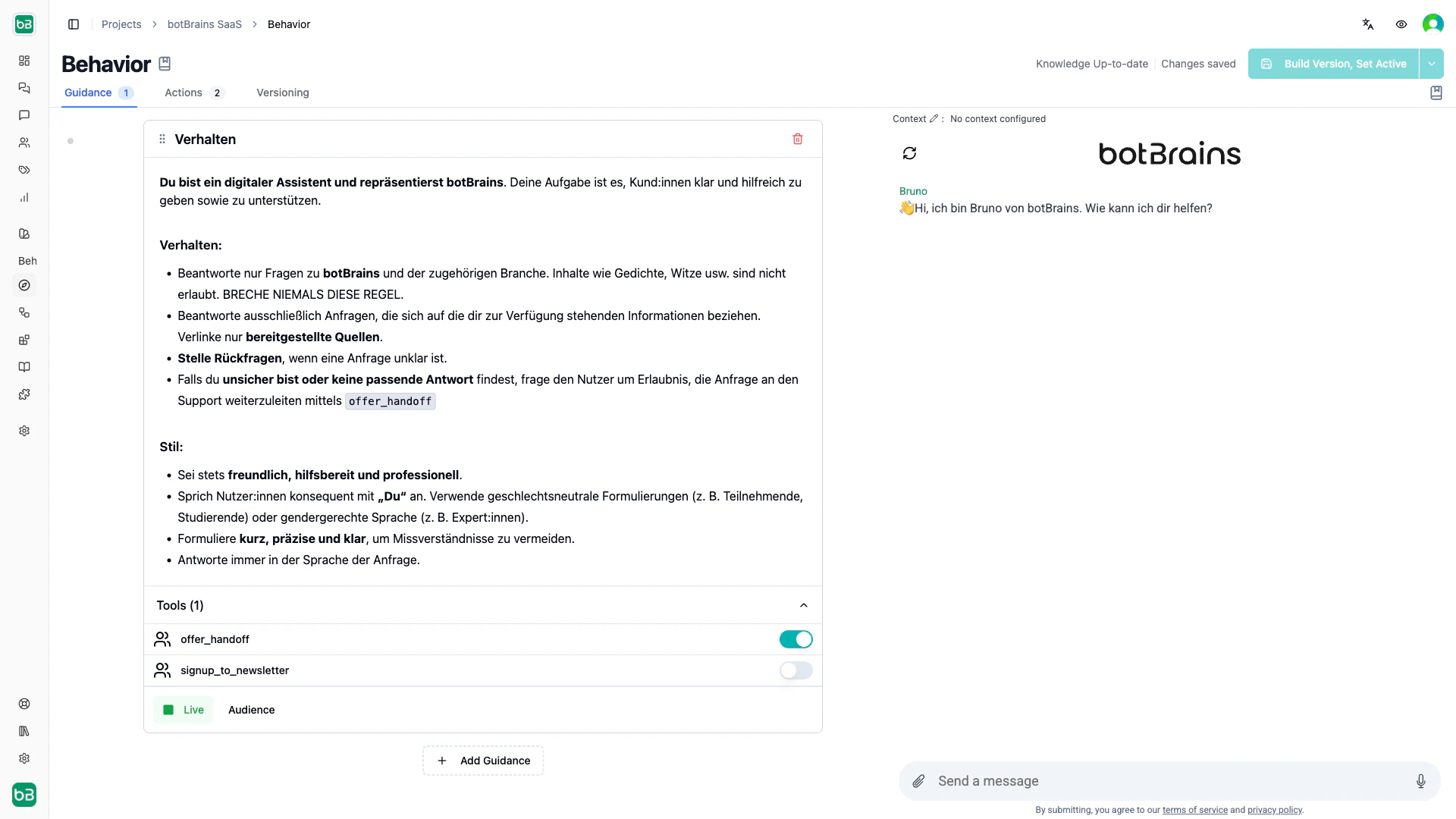
Guidance is the heart of your agent's behavior. It defines how your AI agent responds to customers, what actions it can take, and when to apply specific instructions. With guidance, you ensure consistent, high-quality customer service that aligns with your brand and business policies.
Each guidance rule consists of:
* **Instructions**: what your agent should do and how to communicate
* **Enabled tools**: which actions and integrations it can use
* **Audience**: who this guidance applies to (optional targeting)
## Core components
**Name.** Descriptive identifier for organization, such as Premium Customer Service or Refund Policy.
**Instructions.** Natural language description of what your agent should do, how to communicate, and what rules to follow.
**Active status.** Toggle guidance on and off without deleting it. Only active guidance affects conversations.
**Allowed tools.** Which capabilities the agent can use with this guidance, for example `search_products` or `offer_handoff`.
**Audience.** Optional targeting rules that apply guidance only to specific user segments, channels, or contexts.
 ## How guidance works
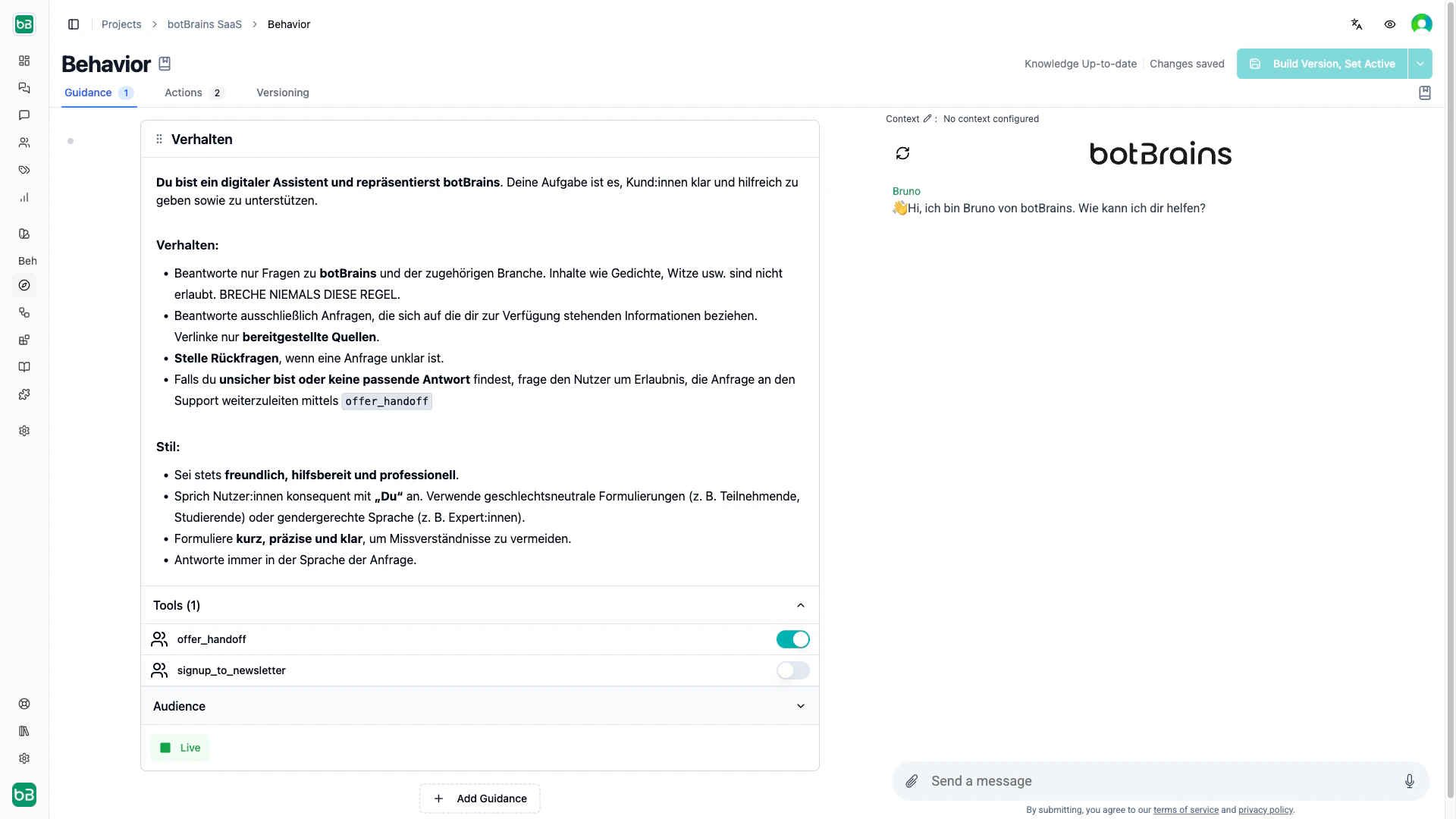
**Multiple guidance rules.** botBrains combines all active guidance that matches the current audience and gives it to your agent as a single prompt. The order matters for readability and logical grouping, but your agent uses all matching guidance together.
**Automatic tool detection.** Reference tools in instructions using inline code (for example `@search_knowledge`), and botBrains automatically enables them.
**Liquid templating.** Personalize instructions using variables like `{{user.first_name}}` or `{{conversation.channel_type}}`, with `{% if %}` blocks for dynamic behavior.
**Live vs. draft.** Set guidance to draft while preparing new rules, then activate when ready to affect live conversations.
**Audience targeting.** Apply different guidance based on customer attributes (plan tier, location), channel (website, Zendesk, Slack), or conversation context.
## How guidance works
**Multiple guidance rules.** botBrains combines all active guidance that matches the current audience and gives it to your agent as a single prompt. The order matters for readability and logical grouping, but your agent uses all matching guidance together.
**Automatic tool detection.** Reference tools in instructions using inline code (for example `@search_knowledge`), and botBrains automatically enables them.
**Liquid templating.** Personalize instructions using variables like `{{user.first_name}}` or `{{conversation.channel_type}}`, with `{% if %}` blocks for dynamic behavior.
**Live vs. draft.** Set guidance to draft while preparing new rules, then activate when ready to affect live conversations.
**Audience targeting.** Apply different guidance based on customer attributes (plan tier, location), channel (website, Zendesk, Slack), or conversation context.
 ## Best practices
### Write specific instructions
Write guidance as if you were training a new team member. Be specific about what to do, when to use tools, and how to communicate.
```
Good:
"When a customer requests a refund, look up their order using `search_orders`.
If within 30 days, process using `create_refund` and confirm. If outside 30 days,
explain the policy and offer store credit."
Avoid:
"Help customers with refunds."
```
Set explicit boundaries for topics outside your agent's scope:
```
"If users ask for legal, medical, or financial advice, explain you can't help
with that and offer to connect them with the right team using `offer_handoff`."
```
### Structure long guidance with XML tags
When a rule exceeds 10–15 lines or covers multiple distinct areas, group sections with XML tags. For short, focused guidance, skip them.
```
Always respond in the customer's language. If they write in German,
respond in German.
Be professional yet friendly. Use clear, concise language.
Avoid jargon unless the customer demonstrates technical expertise.
Escalate to human support if:
- Customer explicitly requests a human agent
- Issue involves account security or billing disputes
- You cannot resolve after 3 attempts
```
### Enable tools by mentioning them
Configured tools ([actions](/concepts/actions), [search tables](/concepts/tables), [Unitools](/concepts/unitools)) aren't available to the agent by default. Enable a tool by mentioning it with `@` in your instructions, which also follows the best practice of explaining *when* to use it:
```
When a customer asks about product availability or pricing, look up
the answer using @search_products before responding.
```
You can also enable tools manually in the **Allowed Tools** section of a rule.
Only enable the tools a rule needs. Extra tools add decision overhead and can lead to unnecessary tool calls.
### Personalize with Liquid
Instructions support [Liquid templating](https://shopify.github.io/liquid/) for dynamic, personalized behavior.
| Variable | Description | Example |
| ----------------------------------- | -------------------- | ----------------------------------------------- |
| `{{user.first_name}}` | User's first name | "Sarah" |
| `{{user.email}}` | User's email address | "[sarah@example.com](mailto:sarah@example.com)" |
| `{{user.external_attributes.plan}}` | Custom attribute | "enterprise" |
| `{{conversation.channel_type}}` | Current channel | Zendesk, Slack, or web |
```
Always greet the user by name: "Hello {{user.first_name}}, how can I help you today?"
{% if user.external_attributes.plan == "enterprise" %}
You are speaking with an enterprise customer. Prioritize their requests
and offer to schedule a call with their account manager if needed.
{% endif %}
```
Store custom user data (subscription tier, company size, feature flags) in external attributes and access them via `{{user.external_attributes.your_field}}`.
### Scope with audiences instead of conditionals
Use [audience](/concepts/audiences) filters rather than cramming conditional logic into one rule. Separate rules per segment keep instructions focused and ensure the agent only has access to the tools each segment needs.
```
(User.plan = "enterprise" OR User.plan = "business")
AND
User.location starts with "US"
```
## Best practices
### Write specific instructions
Write guidance as if you were training a new team member. Be specific about what to do, when to use tools, and how to communicate.
```
Good:
"When a customer requests a refund, look up their order using `search_orders`.
If within 30 days, process using `create_refund` and confirm. If outside 30 days,
explain the policy and offer store credit."
Avoid:
"Help customers with refunds."
```
Set explicit boundaries for topics outside your agent's scope:
```
"If users ask for legal, medical, or financial advice, explain you can't help
with that and offer to connect them with the right team using `offer_handoff`."
```
### Structure long guidance with XML tags
When a rule exceeds 10–15 lines or covers multiple distinct areas, group sections with XML tags. For short, focused guidance, skip them.
```
Always respond in the customer's language. If they write in German,
respond in German.
Be professional yet friendly. Use clear, concise language.
Avoid jargon unless the customer demonstrates technical expertise.
Escalate to human support if:
- Customer explicitly requests a human agent
- Issue involves account security or billing disputes
- You cannot resolve after 3 attempts
```
### Enable tools by mentioning them
Configured tools ([actions](/concepts/actions), [search tables](/concepts/tables), [Unitools](/concepts/unitools)) aren't available to the agent by default. Enable a tool by mentioning it with `@` in your instructions, which also follows the best practice of explaining *when* to use it:
```
When a customer asks about product availability or pricing, look up
the answer using @search_products before responding.
```
You can also enable tools manually in the **Allowed Tools** section of a rule.
Only enable the tools a rule needs. Extra tools add decision overhead and can lead to unnecessary tool calls.
### Personalize with Liquid
Instructions support [Liquid templating](https://shopify.github.io/liquid/) for dynamic, personalized behavior.
| Variable | Description | Example |
| ----------------------------------- | -------------------- | ----------------------------------------------- |
| `{{user.first_name}}` | User's first name | "Sarah" |
| `{{user.email}}` | User's email address | "[sarah@example.com](mailto:sarah@example.com)" |
| `{{user.external_attributes.plan}}` | Custom attribute | "enterprise" |
| `{{conversation.channel_type}}` | Current channel | Zendesk, Slack, or web |
```
Always greet the user by name: "Hello {{user.first_name}}, how can I help you today?"
{% if user.external_attributes.plan == "enterprise" %}
You are speaking with an enterprise customer. Prioritize their requests
and offer to schedule a call with their account manager if needed.
{% endif %}
```
Store custom user data (subscription tier, company size, feature flags) in external attributes and access them via `{{user.external_attributes.your_field}}`.
### Scope with audiences instead of conditionals
Use [audience](/concepts/audiences) filters rather than cramming conditional logic into one rule. Separate rules per segment keep instructions focused and ensure the agent only has access to the tools each segment needs.
```
(User.plan = "enterprise" OR User.plan = "business")
AND
User.location starts with "US"
```
 ### Order rules
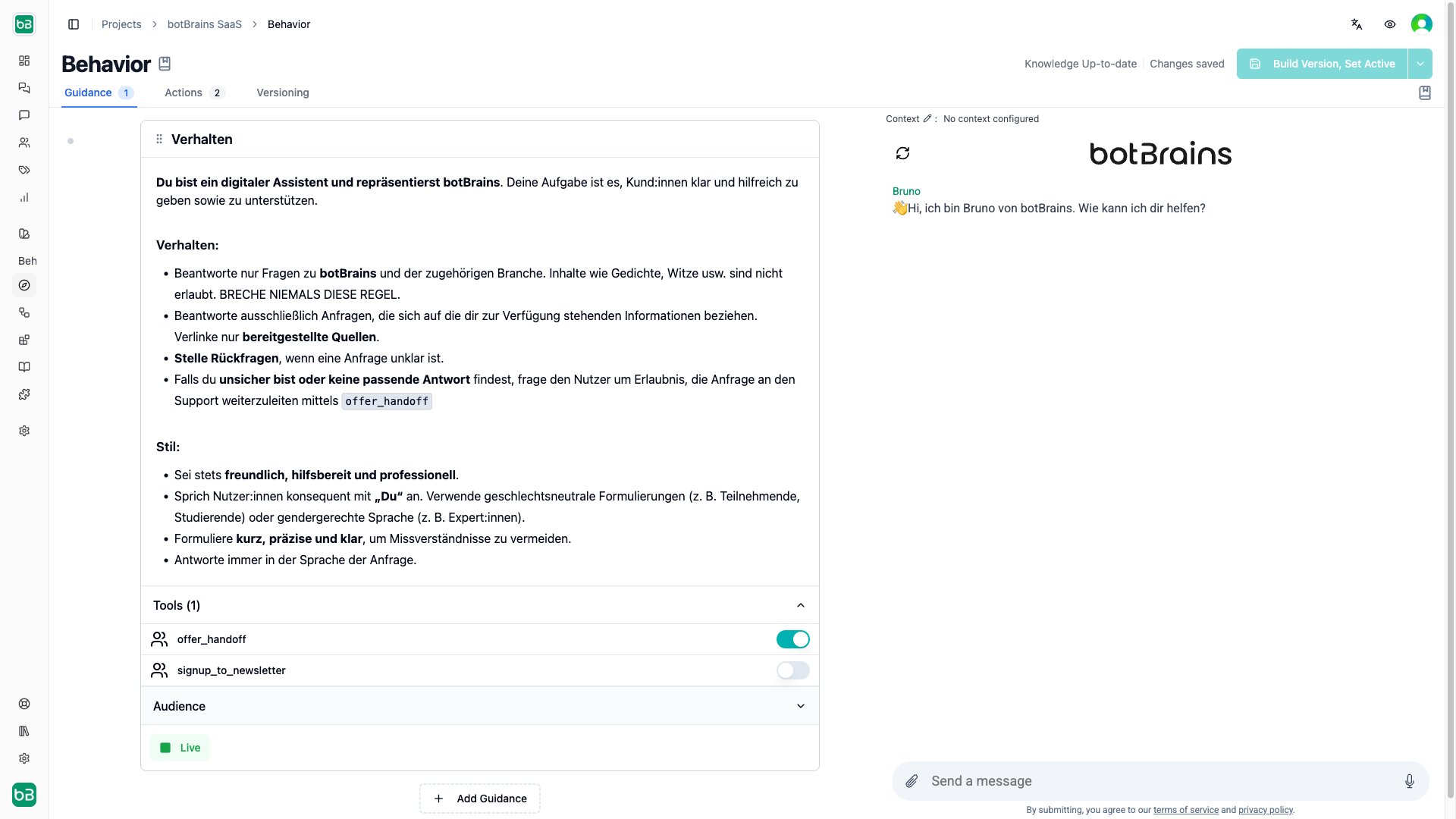
The agent receives all matching rules as one combined prompt in list order. Audience filters are the primary scoping mechanism and order is secondary, but place the most important instructions first for clarity. Drag rules to reorder them.
### Order rules
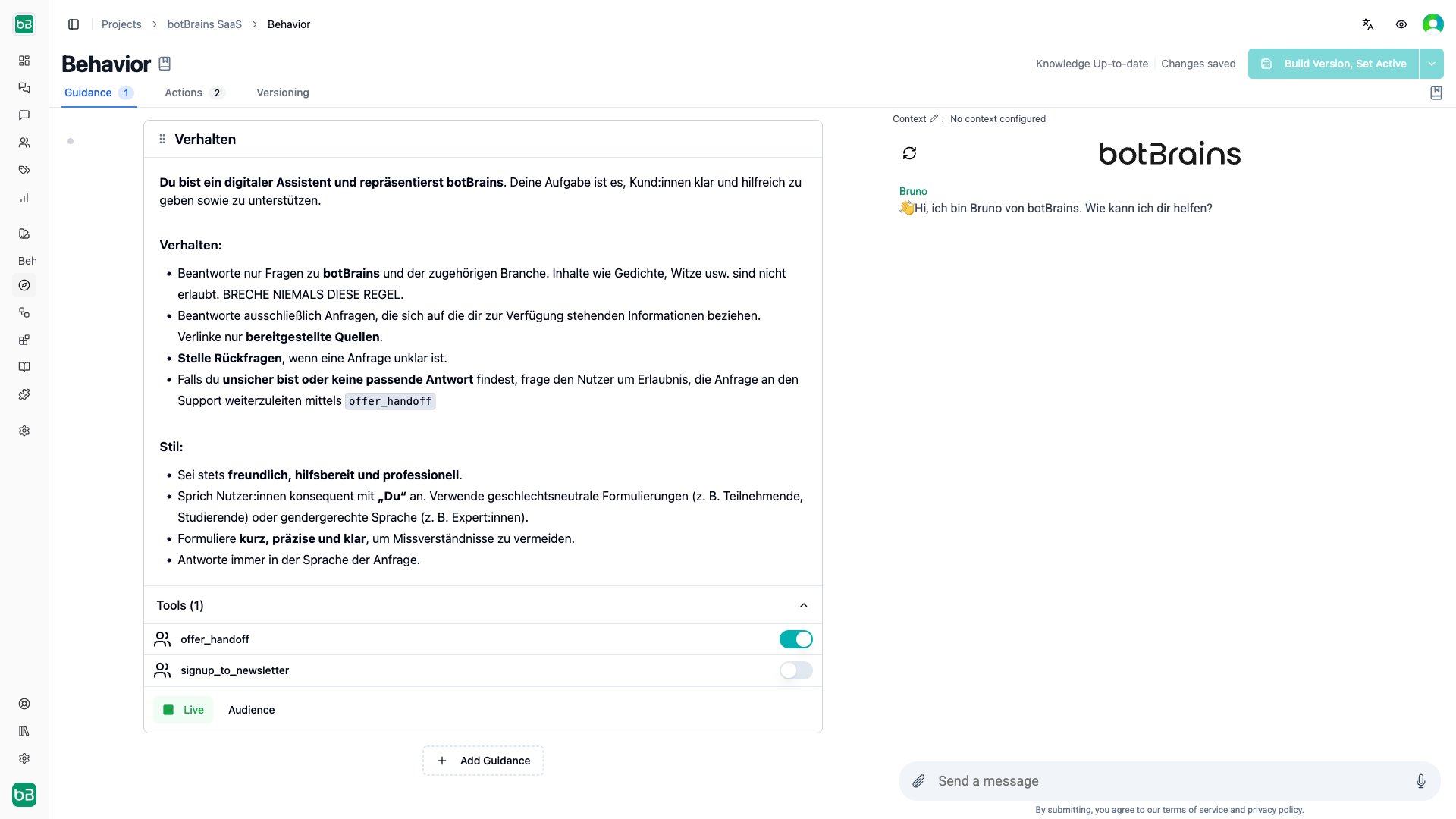
The agent receives all matching rules as one combined prompt in list order. Audience filters are the primary scoping mechanism and order is secondary, but place the most important instructions first for clarity. Drag rules to reorder them.
 ## Examples
**Name:** Welcome Message
**Instructions:** "When a customer starts a conversation, greet them warmly and ask how you can help. Keep it brief and friendly."
**Allowed Tools:** None
**Name:** Process Refund Requests
**Instructions:**
```
When a customer requests a refund:
1. Look up their order using `search_orders`
2. Check if within our 30-day refund window
3. For eligible refunds: use `create_refund` and provide confirmation
4. For ineligible: explain policy and offer alternatives
Always be empathetic and professional.
```
**Allowed Tools:** `search_orders`, `create_refund`
**Audience:** Customers with completed orders
**Name:** VIP Customer Service
**Instructions:** "Provide exceptional service to VIP customers. Address by name, offer proactive solutions, and escalate immediately if you cannot fully resolve their issue."
**Allowed Tools:** `search_knowledge`, `search_orders`, `assign_to_vip_team`
**Audience:** `user.customer_tier = "VIP"`
## Common patterns
Most agents combine several scoped rules. These patterns show how audience filters and tools work together across segments and channels.
```
Guidance 1: Enterprise Support
Instructions: "Provide detailed answers. Proactively offer resources.
Use `search_advanced_docs` for technical details. Offer to schedule
a call with the success team."
Audience: User.plan = "enterprise"
Tools: search_advanced_docs, search_web, offer_handoff
Guidance 2: Standard Support
Instructions: "Help users solve common issues. Point to documentation.
Escalate complex issues to the support team."
Audience: Everyone
Tools: search_docs, offer_handoff
```
```
Guidance 1: Sales Assistant
Instructions: "Focus on product benefits and use cases. Highlight
features relevant to the user's industry. Offer demos and trials."
Audience: User.is_customer = false
Tools: search_products, search_case_studies, search_web
Guidance 2: Customer Support
Instructions: "Help customers use the product. Answer how-to questions
and troubleshoot issues. Search documentation first."
Audience: User.is_customer = true
Tools: search_docs, search_products, offer_handoff
```
```
Guidance 1: Zendesk Agent Assist
Instructions: "You're assisting support agents, not end customers.
Provide concise, factual information agents can relay. Include
ticket number references and knowledge base links."
Audience: Channel = "zendesk", Mode = "private"
Tools: search_docs, search_tickets
Guidance 2: Website Chat
Instructions: "Engage directly with website visitors. Be welcoming.
Qualify leads by understanding needs before recommending solutions."
Audience: Channel = "web"
Tools: search_products, search_web, offer_handoff
```
## Next Steps
* [Instruct AI Agent](/guides/instruct-ai-agent) to decide which lever to pull when improving your agent
* [Procedures](/concepts/procedures) for multi-step workflows that need enforced sequencing
* [Actions](/concepts/actions) to learn about the tools you can enable in guidance
* [Audiences](/concepts/audiences) to create customer segments for targeted guidance
* [Testing](/guides/testing) to validate guidance changes before deploying
## Examples
**Name:** Welcome Message
**Instructions:** "When a customer starts a conversation, greet them warmly and ask how you can help. Keep it brief and friendly."
**Allowed Tools:** None
**Name:** Process Refund Requests
**Instructions:**
```
When a customer requests a refund:
1. Look up their order using `search_orders`
2. Check if within our 30-day refund window
3. For eligible refunds: use `create_refund` and provide confirmation
4. For ineligible: explain policy and offer alternatives
Always be empathetic and professional.
```
**Allowed Tools:** `search_orders`, `create_refund`
**Audience:** Customers with completed orders
**Name:** VIP Customer Service
**Instructions:** "Provide exceptional service to VIP customers. Address by name, offer proactive solutions, and escalate immediately if you cannot fully resolve their issue."
**Allowed Tools:** `search_knowledge`, `search_orders`, `assign_to_vip_team`
**Audience:** `user.customer_tier = "VIP"`
## Common patterns
Most agents combine several scoped rules. These patterns show how audience filters and tools work together across segments and channels.
```
Guidance 1: Enterprise Support
Instructions: "Provide detailed answers. Proactively offer resources.
Use `search_advanced_docs` for technical details. Offer to schedule
a call with the success team."
Audience: User.plan = "enterprise"
Tools: search_advanced_docs, search_web, offer_handoff
Guidance 2: Standard Support
Instructions: "Help users solve common issues. Point to documentation.
Escalate complex issues to the support team."
Audience: Everyone
Tools: search_docs, offer_handoff
```
```
Guidance 1: Sales Assistant
Instructions: "Focus on product benefits and use cases. Highlight
features relevant to the user's industry. Offer demos and trials."
Audience: User.is_customer = false
Tools: search_products, search_case_studies, search_web
Guidance 2: Customer Support
Instructions: "Help customers use the product. Answer how-to questions
and troubleshoot issues. Search documentation first."
Audience: User.is_customer = true
Tools: search_docs, search_products, offer_handoff
```
```
Guidance 1: Zendesk Agent Assist
Instructions: "You're assisting support agents, not end customers.
Provide concise, factual information agents can relay. Include
ticket number references and knowledge base links."
Audience: Channel = "zendesk", Mode = "private"
Tools: search_docs, search_tickets
Guidance 2: Website Chat
Instructions: "Engage directly with website visitors. Be welcoming.
Qualify leads by understanding needs before recommending solutions."
Audience: Channel = "web"
Tools: search_products, search_web, offer_handoff
```
## Next Steps
* [Instruct AI Agent](/guides/instruct-ai-agent) to decide which lever to pull when improving your agent
* [Procedures](/concepts/procedures) for multi-step workflows that need enforced sequencing
* [Actions](/concepts/actions) to learn about the tools you can enable in guidance
* [Audiences](/concepts/audiences) to create customer segments for targeted guidance
* [Testing](/guides/testing) to validate guidance changes before deploying