> ## Documentation Index
> Fetch the complete documentation index at: https://docs.botbrains.io/llms.txt
> Use this file to discover all available pages before exploring further.
# Platform Overview
> Get a high-level understanding of the working parts of the platform in the shortest time. You will build a mental model the remaining documentation can expand upon.
This document provides a high-level overview of the core concepts behind the botBrains platform. Understanding these building blocks will help you effectively set up, manage, and scale your AI agents. It's the shortest path to a working mental model of the platform.
 ## Learn the Terminology in 5 Minutes
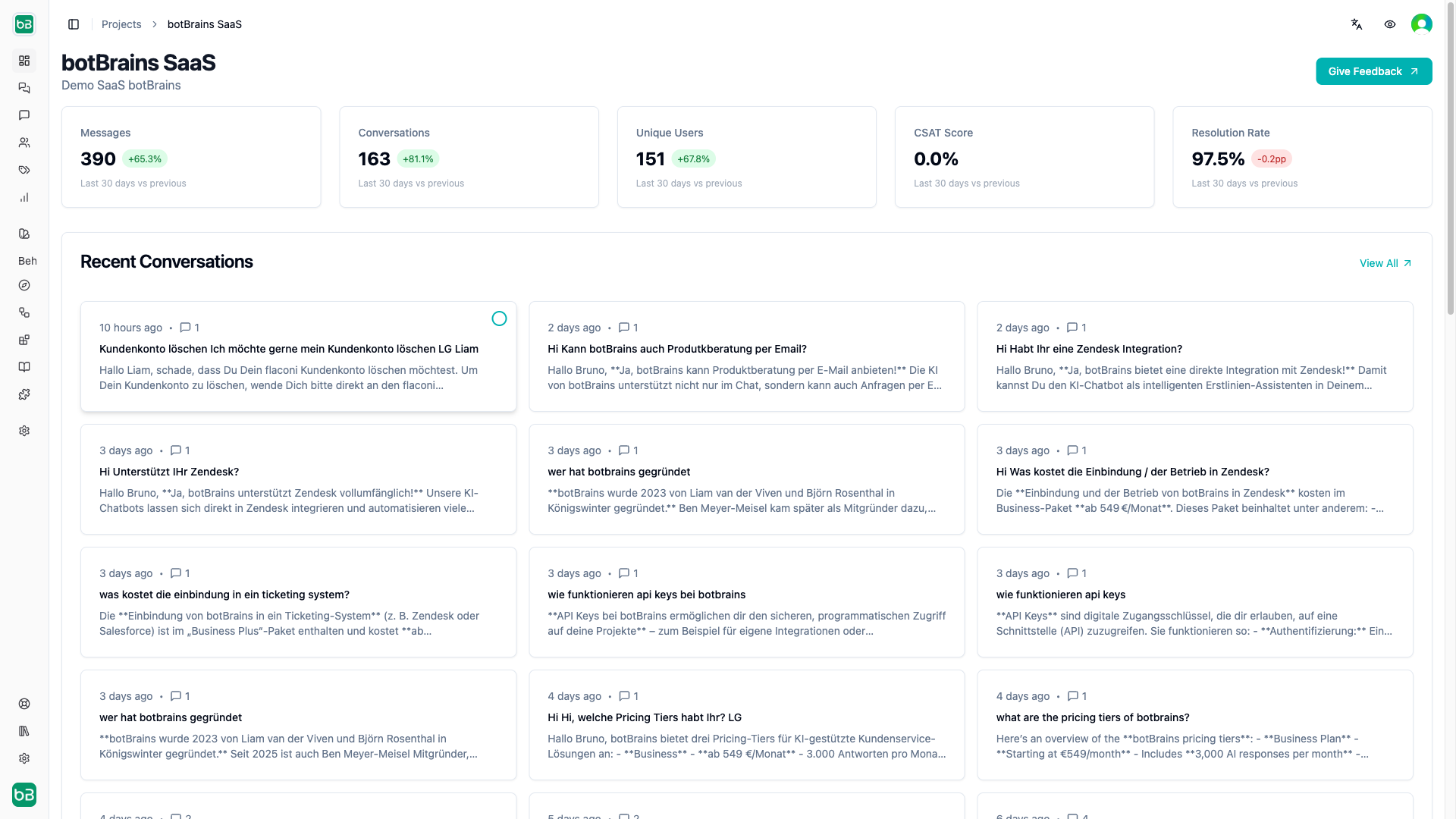
Every Business has an **Organization**, which can have multiple Projects. Your team can be part of organizations and projects, and projects inherit access from their parent organization. The platform tracks [billing and usage](/concepts/billing) at the organization level. A **Project** represents a single AI agent that interacts with your customers. You can create multiple projects to serve different use cases and departments. Most customers have one project.
A **[Deployment](/concepts/versioning)** is a snapshot of knowledge, guidance and actions that comprise a AI agent at a point in time, that's why we frequently refer to a deployment as a **AI agent version**. To maintain a stable reference to the latest version of a your AI agent, we use Aliases. **[Aliases](/concepts/versioning)** point to a specific deployment and link to a **Channel**. A **[Channel](/concepts/integrations)** defines over which way the AI agent interacts with customers, supported are [website chat widgets](/concepts/website-integration), [Zendesk](/concepts/zendesk-integration), [Salesforce Service Cloud](/concepts/salesforce-integration) and [Slack](/concepts/slack-integration). Each project can have the web channel and any one of the other channels. The **[Web SDK](/concepts/web-sdk)**, a JavaScript interface exposed by botBrains, helps you handle user annotation and login on your website.
**[Knowledge](/concepts/knowledge):** The AI agent knows about the world and basic relationship between objects, but needs your business specific knowledge to answer your customers questions. Ultimately, Knowledge is just a collection of documents. **[Data Providers](/concepts/data-providers)** allow you to periodically ingest websites. **Collections** allow you manually upload documents like PDFs, Word, PPTX and more. **[Snippets](/concepts/snippets)** are text snippets written and stored on the botBrains platform to add internal knowledge.
**Behavior:** Versioned **[Guidance](/concepts/guidance)** and **[Actions](/concepts/actions)** control the AI agent's behavior. Guidance are you text instructions that steer how the AI responds, while Actions define custom operations the AI can perform during interactions. Since you need to explain the AI how to use an Action, Guidance and Actions link together. **[Audiences](/concepts/audiences)** allow you to segment behaviour, actions and knowledge for different customer groups based on user attributes, time, channel, conversation attributes and more. **[Escalations (handoffs)](/concepts/escalations)** enable the AI to send emails on behalf of the customer, to create support tickets, for example.
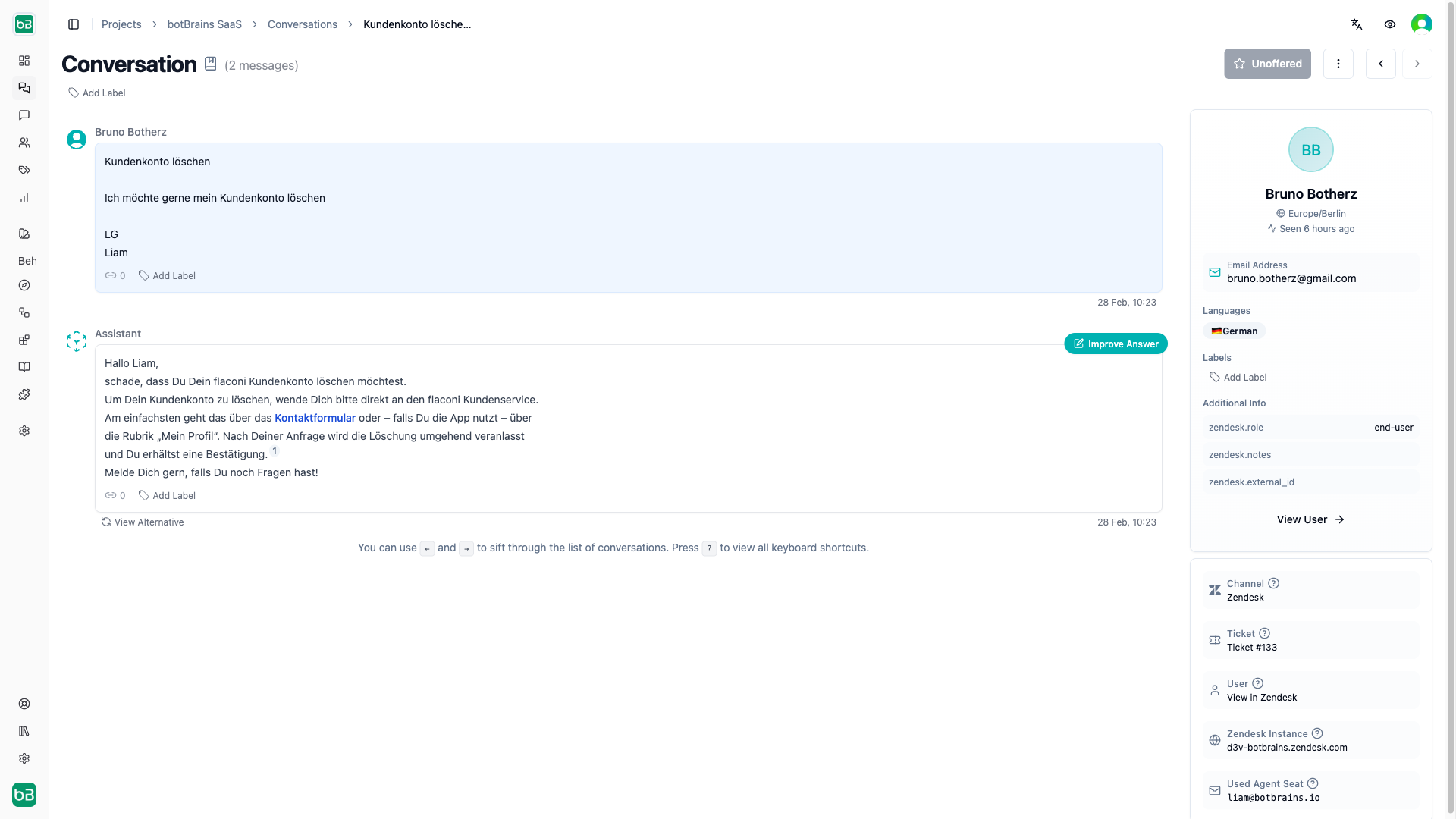
AI Agents have **[Conversations](/concepts/conversations)** with your users. Each conversation consists of multiple **Messages** exchanged between the AI agent and the user. During conversations, the AI agent may invoke **[Actions](/concepts/actions)** to perform specific tasks or retrieve information. **[Users](/concepts/users)** have attributes that provide context about them, which you can use to personalize interactions, for example email, name, timezone and more. The **External Attributes** of a user store custom attributes. A **[Verified User](/guides/users)** can continue his conversation not just on one device, but seamlessly across multiple devices they're logged into.
You can apply **[Labels](/concepts/labels)** to conversations for categorization and analysis.
**[Metrics](/concepts/metrics)** track the performance and effectiveness of your AI agents, providing insights into user interactions and satisfaction. The most important metric in chat based systems in the **[Resolution Rate](/concepts/chat-performance)**. When using ticketing systems, the most important metric is the **[Involvement Rate](/concepts/ticketing-performance)**, or more specifically the **[Autonomous Rate](/concepts/ticketing-performance)**. **[Topic AI](/concepts/topics)** automatically identifies topics and topic trends, and support cross-analysis with metrics to identify poor performing topics.
## Learn the Terminology in 5 Minutes
Every Business has an **Organization**, which can have multiple Projects. Your team can be part of organizations and projects, and projects inherit access from their parent organization. The platform tracks [billing and usage](/concepts/billing) at the organization level. A **Project** represents a single AI agent that interacts with your customers. You can create multiple projects to serve different use cases and departments. Most customers have one project.
A **[Deployment](/concepts/versioning)** is a snapshot of knowledge, guidance and actions that comprise a AI agent at a point in time, that's why we frequently refer to a deployment as a **AI agent version**. To maintain a stable reference to the latest version of a your AI agent, we use Aliases. **[Aliases](/concepts/versioning)** point to a specific deployment and link to a **Channel**. A **[Channel](/concepts/integrations)** defines over which way the AI agent interacts with customers, supported are [website chat widgets](/concepts/website-integration), [Zendesk](/concepts/zendesk-integration), [Salesforce Service Cloud](/concepts/salesforce-integration) and [Slack](/concepts/slack-integration). Each project can have the web channel and any one of the other channels. The **[Web SDK](/concepts/web-sdk)**, a JavaScript interface exposed by botBrains, helps you handle user annotation and login on your website.
**[Knowledge](/concepts/knowledge):** The AI agent knows about the world and basic relationship between objects, but needs your business specific knowledge to answer your customers questions. Ultimately, Knowledge is just a collection of documents. **[Data Providers](/concepts/data-providers)** allow you to periodically ingest websites. **Collections** allow you manually upload documents like PDFs, Word, PPTX and more. **[Snippets](/concepts/snippets)** are text snippets written and stored on the botBrains platform to add internal knowledge.
**Behavior:** Versioned **[Guidance](/concepts/guidance)** and **[Actions](/concepts/actions)** control the AI agent's behavior. Guidance are you text instructions that steer how the AI responds, while Actions define custom operations the AI can perform during interactions. Since you need to explain the AI how to use an Action, Guidance and Actions link together. **[Audiences](/concepts/audiences)** allow you to segment behaviour, actions and knowledge for different customer groups based on user attributes, time, channel, conversation attributes and more. **[Escalations (handoffs)](/concepts/escalations)** enable the AI to send emails on behalf of the customer, to create support tickets, for example.
AI Agents have **[Conversations](/concepts/conversations)** with your users. Each conversation consists of multiple **Messages** exchanged between the AI agent and the user. During conversations, the AI agent may invoke **[Actions](/concepts/actions)** to perform specific tasks or retrieve information. **[Users](/concepts/users)** have attributes that provide context about them, which you can use to personalize interactions, for example email, name, timezone and more. The **External Attributes** of a user store custom attributes. A **[Verified User](/guides/users)** can continue his conversation not just on one device, but seamlessly across multiple devices they're logged into.
You can apply **[Labels](/concepts/labels)** to conversations for categorization and analysis.
**[Metrics](/concepts/metrics)** track the performance and effectiveness of your AI agents, providing insights into user interactions and satisfaction. The most important metric in chat based systems in the **[Resolution Rate](/concepts/chat-performance)**. When using ticketing systems, the most important metric is the **[Involvement Rate](/concepts/ticketing-performance)**, or more specifically the **[Autonomous Rate](/concepts/ticketing-performance)**. **[Topic AI](/concepts/topics)** automatically identifies topics and topic trends, and support cross-analysis with metrics to identify poor performing topics.