> ## Documentation Index
> Fetch the complete documentation index at: https://docs.botbrains.io/llms.txt
> Use this file to discover all available pages before exploring further.
# Agent Optimization Guide
> Find where your AI agent falls short and decide what to improve
Optimization is a loop: find where the agent falls short, fix it with the right lever, and confirm the fix worked. This guide covers the first step, finding opportunities. Once you know what to change, [Instruct AI Agent](/guides/instruct-ai-agent) shows how to implement it and [Testing](/guides/testing) how to validate it.
## Where to look
Three approaches surface improvement opportunities. Start with Topics, then use Suggestions and escalations to fill in what it misses.
### Topics
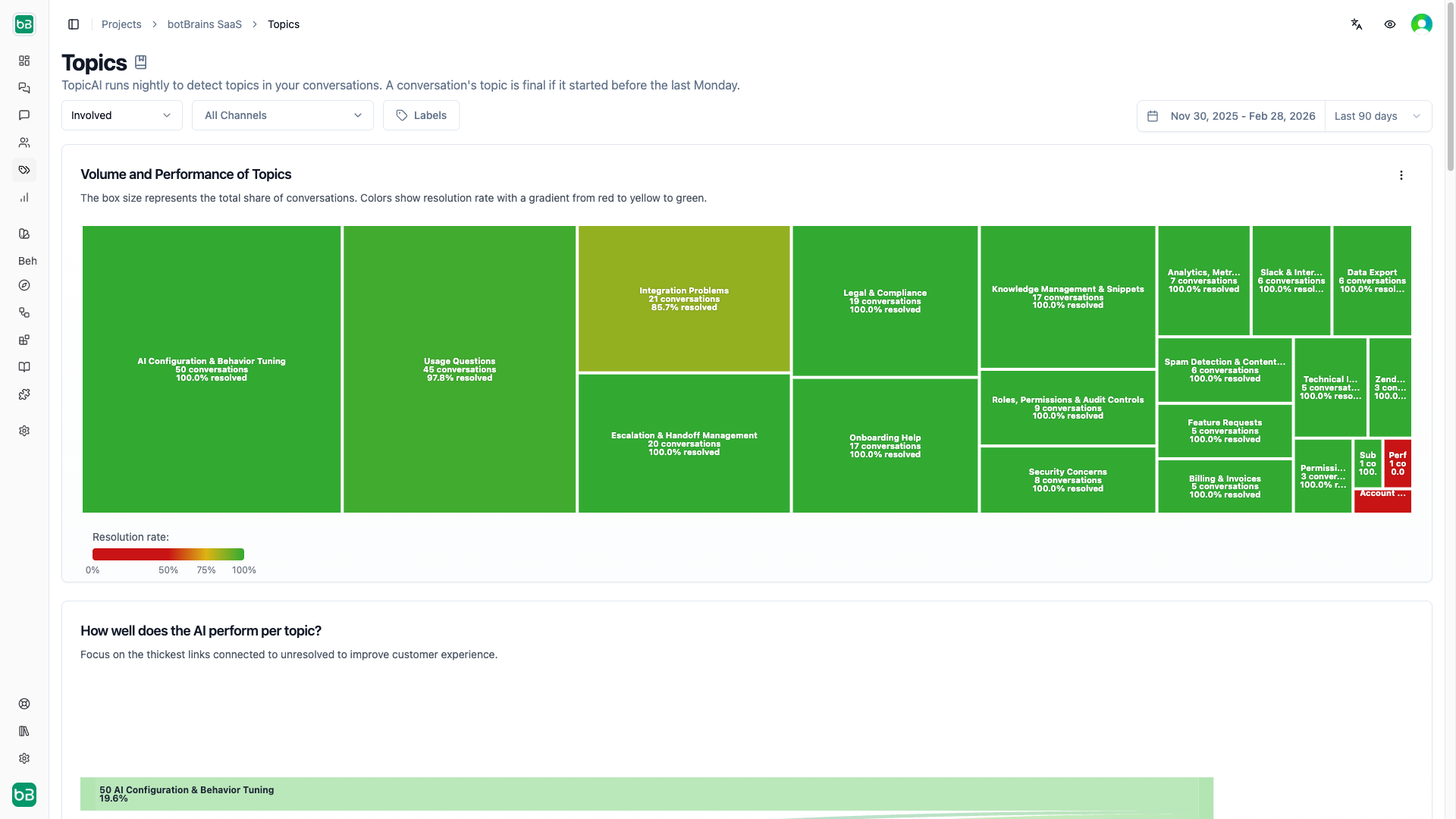
Open [Topics](https://platform.botbrains.io/~/topics) and read the treemap. Each box is a topic, its size is conversation volume, and its color is performance. Judge performance by the metric that fits your channel:
* **Chat** (web, Slack, WhatsApp): [Resolution Rate](/concepts/metrics#choosing-the-right-metrics).
* **Ticketing** (Zendesk, Salesforce): [Involvement Rate and Autonomous Rate](/concepts/metrics#choosing-the-right-metrics).
Pick topics by impact. A large box with a low rate has the most room to move, so prioritize by size multiplied by the percentage-point improvement you can realistically win. A topic worth 9% of volume that you can lift from 40% to 70% beats a tiny topic you could perfect. Click a topic to read its conversations and see why the agent fails to resolve or stay involved.
 ### Suggestions
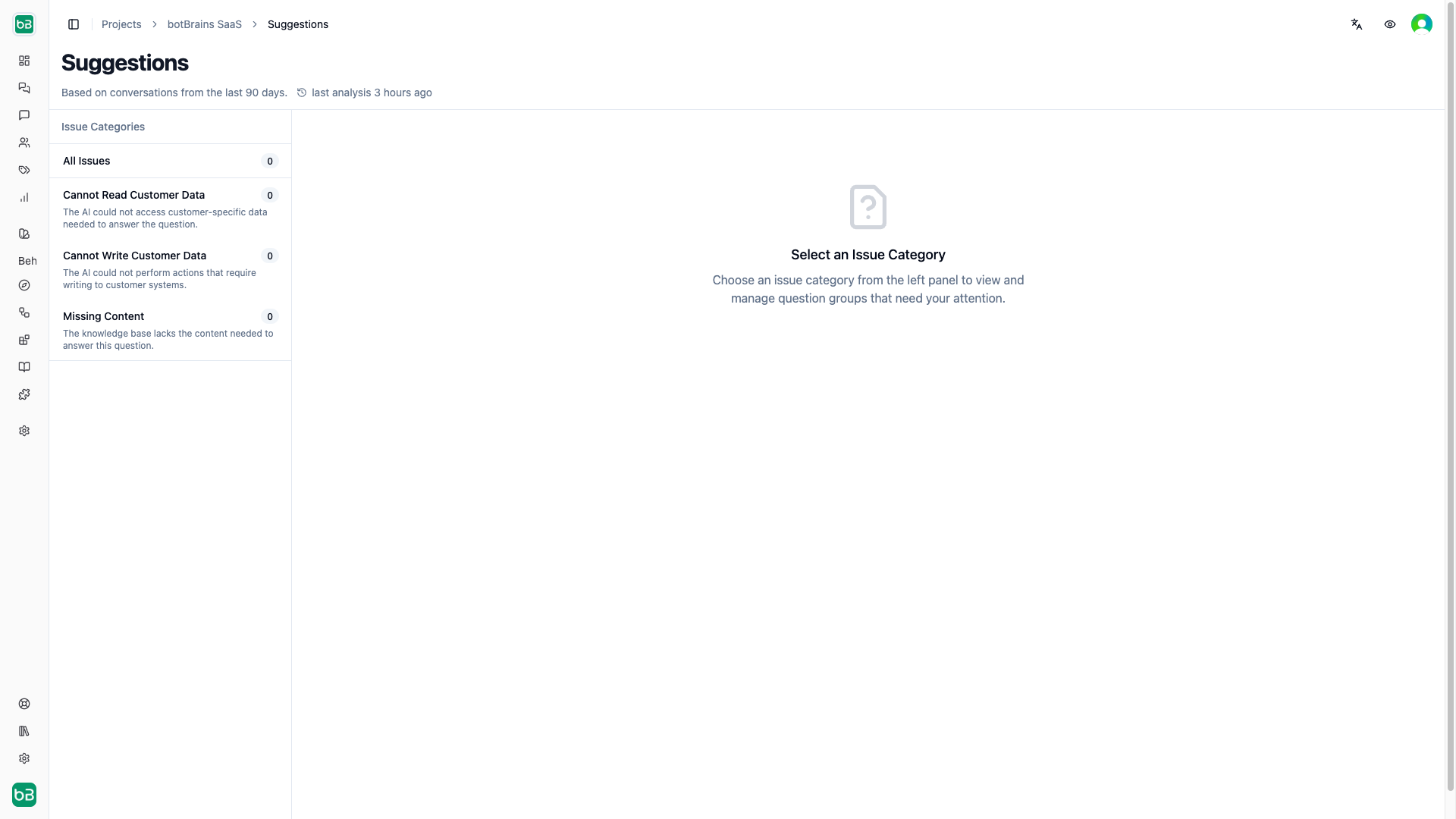
[Suggestions](/concepts/suggestions) automatically cluster questions the agent failed to answer and label each cluster by root cause, which maps directly to a [lever](/guides/instruct-ai-agent#the-three-levers):
| Issue type | Meaning | Lever |
| ------------------------- | -------------------------------------------- | --------------------------------------------------------------- |
| Missing content | Your knowledge base lacks the answer | [Give knowledge](/guides/instruct-ai-agent#give-knowledge) |
| Can't read customer data | The agent needs data from an external system | [Add system access](/guides/instruct-ai-agent#add-integrations) |
| Can't write customer data | The agent needs to act in an external system | [Add system access](/guides/instruct-ai-agent#add-integrations) |
Review pending suggestions, accept the ones you plan to act on, and dismiss the rest.
### Suggestions
[Suggestions](/concepts/suggestions) automatically cluster questions the agent failed to answer and label each cluster by root cause, which maps directly to a [lever](/guides/instruct-ai-agent#the-three-levers):
| Issue type | Meaning | Lever |
| ------------------------- | -------------------------------------------- | --------------------------------------------------------------- |
| Missing content | Your knowledge base lacks the answer | [Give knowledge](/guides/instruct-ai-agent#give-knowledge) |
| Can't read customer data | The agent needs data from an external system | [Add system access](/guides/instruct-ai-agent#add-integrations) |
| Can't write customer data | The agent needs to act in an external system | [Add system access](/guides/instruct-ai-agent#add-integrations) |
Review pending suggestions, accept the ones you plan to act on, and dismiss the rest.
 ### Escalated conversations
Look at [escalated](https://platform.botbrains.io/~/conversations?\&status=escalated) conversations. Every escalation is a conversation the agent couldn't finish on its own. Group them by topic to find recurring reasons it hands off, then decide which are worth closing.
## Investigate the root cause
Whichever entry point you used, open the failing conversations and read 10–20 of them. For each, decide which [lever](/guides/instruct-ai-agent#the-three-levers) it needs: missing knowledge, weak instructions, or a missing system action. Click the AI message and open the [Improve Answer](/guides/improve-answers) sidebar to see which sources it used, or use [View Alternative](/guides/testing#view-alternative-in-a-conversation) to trace which tools it called and which procedure branch it took. Sorting issues this way tells you exactly where to fix them.
Two quick reads of the metrics point you at the likely lever:
* **High resolution, low CSAT** usually means accuracy problems, so wrong answers that need better [knowledge](/guides/instruct-ai-agent#give-knowledge).
* **Low resolution with many "No Answer" responses** points to [knowledge](/guides/instruct-ai-agent#give-knowledge) gaps.
## Fix and validate
Take what you found to [Instruct AI Agent](/guides/instruct-ai-agent), which walks through the three levers and how to apply each. Before deploying, confirm the change actually helps with [Testing](/guides/testing): re-run the failing conversations with View Alternative, or lock the behavior in with a simulation. After deploying, watch the topic's rate in Topics to verify the improvement landed.
## Continuous improvement
Optimization is a cycle: find gaps, apply the right lever, validate, deploy, and monitor. [Suggestions](/concepts/suggestions) refresh every 6 hours, so new gaps surface as conversations come in. A lightweight weekly routine where each team member reviews a handful of conversations catches what automated analysis misses.
### Escalated conversations
Look at [escalated](https://platform.botbrains.io/~/conversations?\&status=escalated) conversations. Every escalation is a conversation the agent couldn't finish on its own. Group them by topic to find recurring reasons it hands off, then decide which are worth closing.
## Investigate the root cause
Whichever entry point you used, open the failing conversations and read 10–20 of them. For each, decide which [lever](/guides/instruct-ai-agent#the-three-levers) it needs: missing knowledge, weak instructions, or a missing system action. Click the AI message and open the [Improve Answer](/guides/improve-answers) sidebar to see which sources it used, or use [View Alternative](/guides/testing#view-alternative-in-a-conversation) to trace which tools it called and which procedure branch it took. Sorting issues this way tells you exactly where to fix them.
Two quick reads of the metrics point you at the likely lever:
* **High resolution, low CSAT** usually means accuracy problems, so wrong answers that need better [knowledge](/guides/instruct-ai-agent#give-knowledge).
* **Low resolution with many "No Answer" responses** points to [knowledge](/guides/instruct-ai-agent#give-knowledge) gaps.
## Fix and validate
Take what you found to [Instruct AI Agent](/guides/instruct-ai-agent), which walks through the three levers and how to apply each. Before deploying, confirm the change actually helps with [Testing](/guides/testing): re-run the failing conversations with View Alternative, or lock the behavior in with a simulation. After deploying, watch the topic's rate in Topics to verify the improvement landed.
## Continuous improvement
Optimization is a cycle: find gaps, apply the right lever, validate, deploy, and monitor. [Suggestions](/concepts/suggestions) refresh every 6 hours, so new gaps surface as conversations come in. A lightweight weekly routine where each team member reviews a handful of conversations catches what automated analysis misses.