

The Three Buckets
All customer queries fall into three categories, each requiring different capabilities:Simple Questions
Ask for information without requiring customer-specific data.“How long does shipping take?” “What is your refund policy?”Requires: Knowledge baseYour role: Upload knowledge, monitor, refine
Personalized Questions
Read access to external systems for user-specific data.“Where is my order?” “When does my subscription renew?”Requires: Auth, permissions, integrationsYour role: Work with botBrains to connect systems
Tasks
Write access to external systems to take action.“Cancel my subscription.” “Update my invoice address.”Requires: Permissions, business rules, confirmationsYour role: Define rules and workflows with botBrains
Building Your Knowledge Foundation
Knowledge is foundational to all three buckets. Even personalized questions and tasks require context from your knowledge base. Here’s how to build it systematically:Step 1: Ingest What You Know
Start by uploading knowledge you’re confident is correct. Exclude anything that’s likely outdated or possibly incorrect-it’s better for the AI to say “I don’t know” than to answer with wrong information. Good starting points:- Help center articles
- FAQ pages
- Product documentation
- Shipping and return policies

Step 2: Use Data to Identify Gaps
Use botBrains analytics to discover what’s missing:- Topic AI - Identify common intents automatically
- Escalated conversations - Review what the AI couldn’t handle
- Unresolved conversations - Find questions without satisfactory answers
- Resolution metrics - Track improvement over time

Step 3: Capture Knowledge from Human Conversations
Customer calls, video chats, and support sessions are goldmines. With permission, record these sessions and:- Transcribe them
- Extract question-answer pairs
- Convert them into help center articles or snippets
The AI Support Flywheel
Improvement isn’t a one-time effort-it’s a continuous cycle: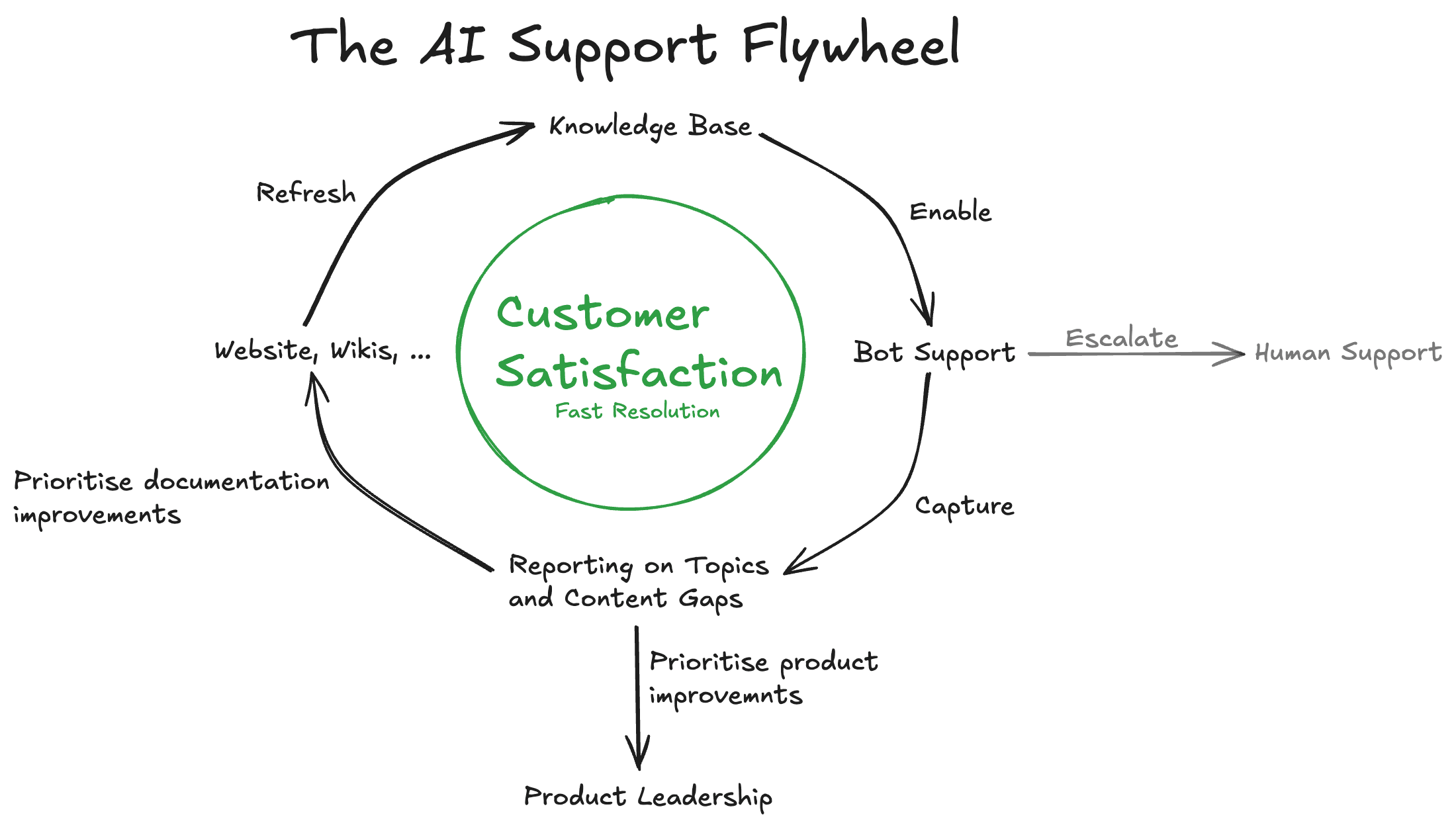
Sustainable Process
Dedicate 1-3 hours per week to:- Review unresolved conversations
- Identify patterns in escalations
- Convert findings into help center content or snippets
- Update outdated information
- Resolution rates - More questions answered without escalation
- Escalation reduction - Fewer handoffs to human agents
- Customer satisfaction - Faster, more accurate responses
Next Steps
Now that you understand the query types and improvement process:- Quickstart - Get your first AI agent running
- Platform Overview - Learn the terminology
- Instruct AI Agent - Configure behavior and guidance
- Improve Answers - Systematic improvement workflows