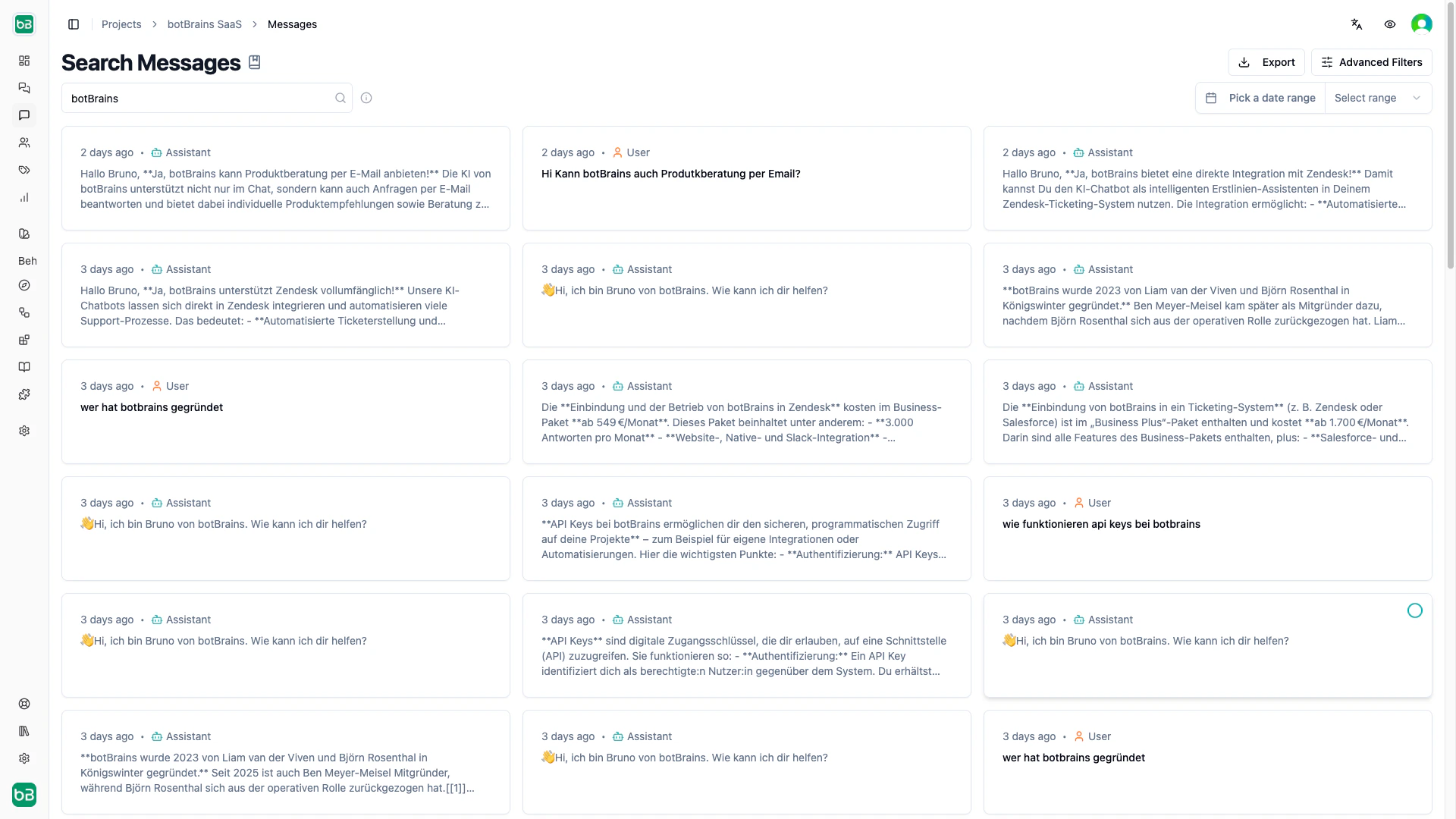
Message Search lets you search the content of individual messages across all conversations. Use it to discover knowledge gaps, validate AI responses, and identify patterns in how users phrase their questions. Open the message search to get started.

Search Syntax

The search bar supports full-text search with operators:
SyntaxExampleEffect
Single wordrefundMessages containing “refund”
Multiple words (implicit AND)refund policyMessages containing both words
ORrefund or cancellationMessages containing either word
NOT (minus)refund -approvedMessages with “refund” but not “approved”
Exact phrase (quotes)"annual subscription"Messages with the exact phrase
Combined"password reset" -emailExact phrase excluding a term

Filters

Beyond text search, narrow results with these filters:
FilterOptionsUse case
Date rangeLast 7/30/90 days, customFocus on a specific time window
ChannelWebsite, Zendesk, Salesforce, Slack, WhatsAppCompare AI performance across channels
Rating1–5 stars, abandoned, unofferedFind messages from poorly or highly rated conversations
CompletenessComplete, partial, no answerIdentify knowledge gaps (filter to “no answer”)
SentimentPositive, neutral, negativeFind frustration points or successful patterns
LanguageEnglish, German, Spanish, etc.Analyze multilingual performance
File typesImage, PDF, document, video, audioFind messages with attachments
Visited pagesURL or pathSee what users ask on specific pages (web channel)
HandoffOffered, accepted, requested, noneUnderstand escalation patterns
LabelsHas / doesn’t have specific labelsSegment by your custom categories
All active filters appear as removable chips below the search bar. Click any chip to remove it, or “Clear All” to reset.

Working with Results

Results display as message cards showing the message content, sender, timestamp, sentiment, and a link to the full conversation. Results load progressively as you scroll. Select multiple messages via checkboxes to apply labels in bulk or export the selection.
Exporting

Click Export to download results as CSV (for spreadsheets) or JSON (for programmatic analysis). Exports respect all active filters, so you only get the messages that match your current search.

Next Steps

  • Conversations - View complete conversation threads
  • Topics - Understand automatic topic detection
  • Improve Answers - Use search findings to refine knowledge and guidance
  • Labels - Label conversations you find for follow-up tracking