

Model 1: Organization & Projects
The Organization & Projects model defines how your company structures AI agents and manages team access.Organization
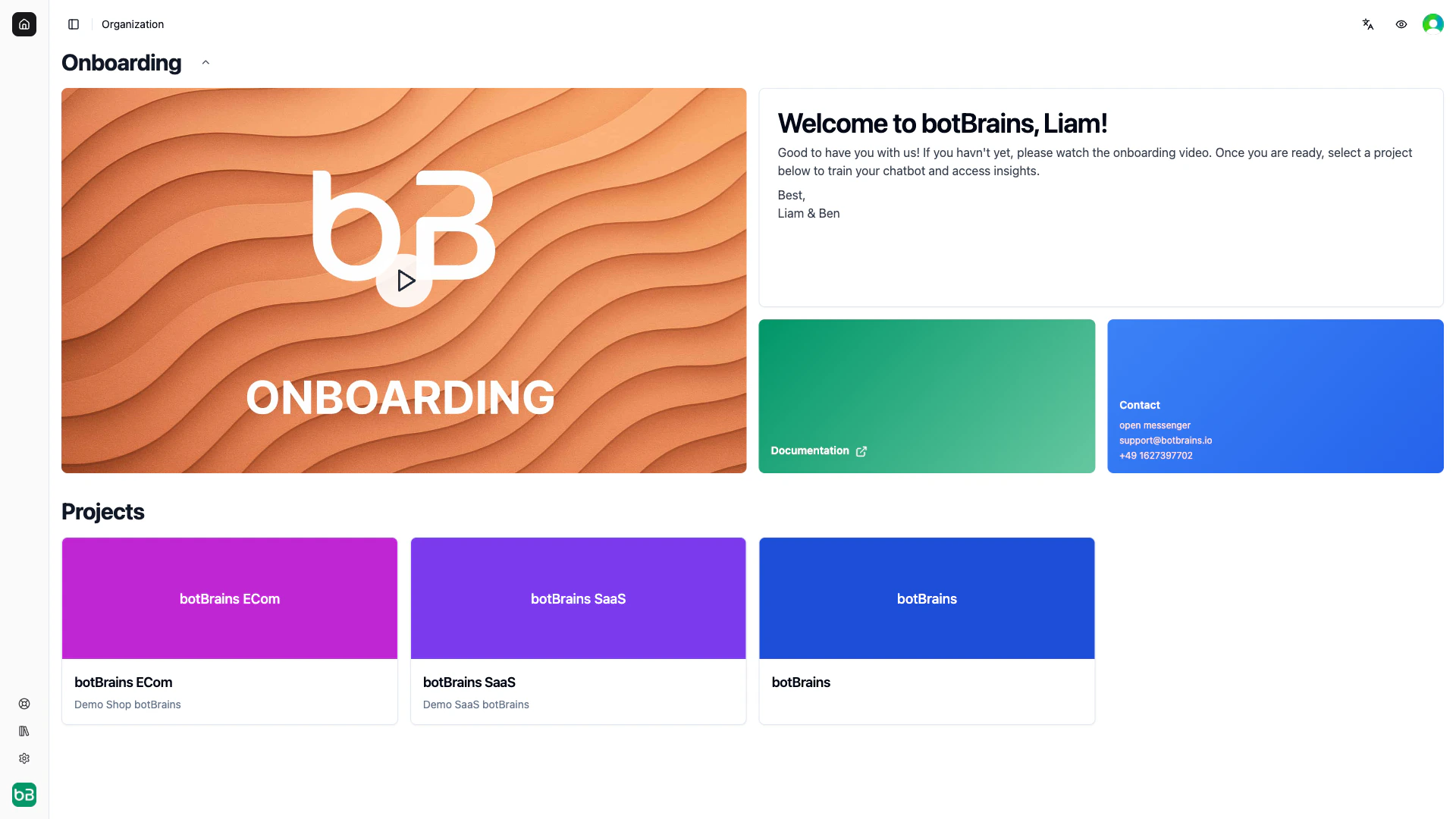
Your Organization is the top-level container representing your company’s botBrains account. Each account has exactly one organization.
All projects roll up to organization-level billing. Team members can receive access to multiple projects, and admins can access all projects within the organization.
In the botBrains data model, “Organization” and “Account” are often used interchangeably.
Projects
Projects are where the real work happens. Each project is a completely independent AI agent with its own configuration, knowledge base, and deployments.
Projects are fully isolated—they don’t share knowledge or configurations by default. Each has its own API keys, permissions, and analytics.
When to Create Multiple Projects
Model 2: Users, Conversations & Messages
This model captures who your customers are, what they ask about, and their complete interaction history.Users
Users represent the people who interact with your AI agent. Each user has a unique identity and maintains conversation history across all interactions.
You can identify users by email, phone number, or external ID. The platform tracks anonymous users by device/session until they identify themselves.
Users belong to a User Pool scoped to your organization. You can share user pools across projects if needed.
Conversations
Conversations are individual interaction sessions between a user and your AI agent. Each conversation belongs to exactly one user and contains a sequence of messages. Conversations track status, ratings, timestamps, channel information, labels, and topic classification. They flow through these states:Messages
Messages are the individual exchanges within a conversation. Each message has a role (user, assistant, or operator), text content, optional attachments, and labels. Messages maintain chronological order and are immutable once created. Message types include standard messages, comments (internal notes from team members, not visible to the user), system-generated notes, and conversation summaries.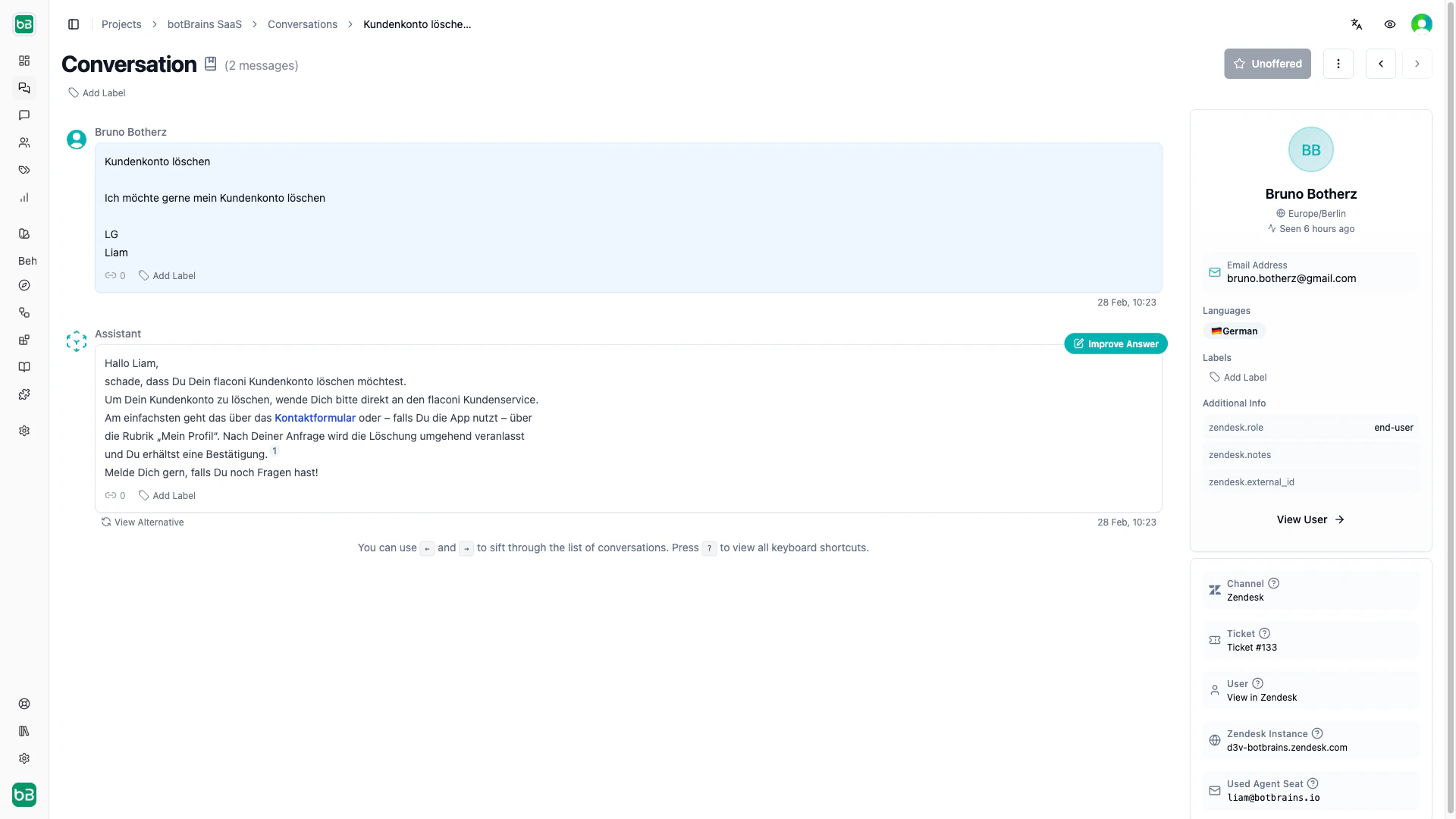
Model 3: Channels, Aliases & Deployments
This model defines how you deploy AI versions across platforms. It separates configuration development from production deployment, enabling safe updates and version control.Channels
Channels are the platforms where users interact with your AI. You can have multiple channels of the same type (for example, multiple website widgets for different sites).
Channels connect to an alias, not directly to a version. This means you update once and all connected channels switch automatically.
Aliases
An alias is a named pointer to a specific deployment version. Think of it as a bookmark—channels connect to “Production,” and you control which version “Production” points to.
When you update an alias, all connected channels switch immediately with no downtime.
Deployments (Versions)
Deployments are sequentially numbered, immutable snapshots of your AI’s complete configuration at a specific point in time. Each version contains the profile configuration (guidance, tools, LLM settings), a knowledge snapshot (all sources at build time), and metadata. Learn more in the Versioning Guide.Model 4: Guidance, Procedures, Actions & Knowledge
Profiles bring these four components together. They define how your AI behaves, which workflows it follows, what it can do, and what it knows.Guidance Rules
Guidance rules control how your AI behaves. Each guidance contains natural language instructions, tool permissions (allowed_tools), audience rules for when it applies, and an active/draft state. Multiple guidances evaluate in priority order.
When you reference tools in instructions using backticks (for example, `search_orders`), botBrains automatically detects them and manages the allowed_tools list.
Procedures
Procedures are structured workflows the AI agent follows step by step, such as a refund or an address change. Unlike guidance, they can branch on deterministic conditions, so an action only happens when the condition matches. See Procedures for blocks and conditions.Actions
Actions are tools and capabilities your AI can execute:
Tools configured in Actions become available for guidances to reference. For sensitive actions, you can require user approval before execution.
Knowledge
Knowledge is your AI’s information foundation—the sources it draws upon for accurate, grounded responses.
Knowledge supports audience filtering per source—for example, enterprise-only documentation. Every AI response tracks which sources informed it, and users can view source attributions.
When you build a deployment, the system captures guidances, actions, and knowledge into an immutable version. Changes to any of them require a new build and deploy. Procedures are the exception: making a new version live takes effect without a new build. A run that already started finishes on the version it started with.
Related Documentation
Guidance
Writing effective guidance instructions
Actions
Configuring tools and integrations
Procedures
Building step-by-step workflows
Knowledge
Managing data providers and knowledge sources
Users
User management and identification
Versioning
Building and managing deployments
Channels
Connecting your AI to platforms